ይህ ጽሁፍ በራስ-ሰር ተተርጉሟል። አንዳንድ ትርጉሞች ፍጹም ላይሆኑ ይችላሉ።
የትኩረት ሁነታ ቅጥያዎች ሲነፃፀሩ፡ ፍጹም የሆነ የምርታማነት መሳሪያዎን ያግኙ
ለChrome ምርጥ የትኩረት ሁነታ ቅጥያዎችን ያወዳድሩ። ትኩረትን የሚከፋፍሉ ነገሮችን ለማገድ ባህሪያት፣ ዋጋ አሰጣጥ፣ ግላዊነት እና ውጤታማነት ጎን ለጎን ትንተና።
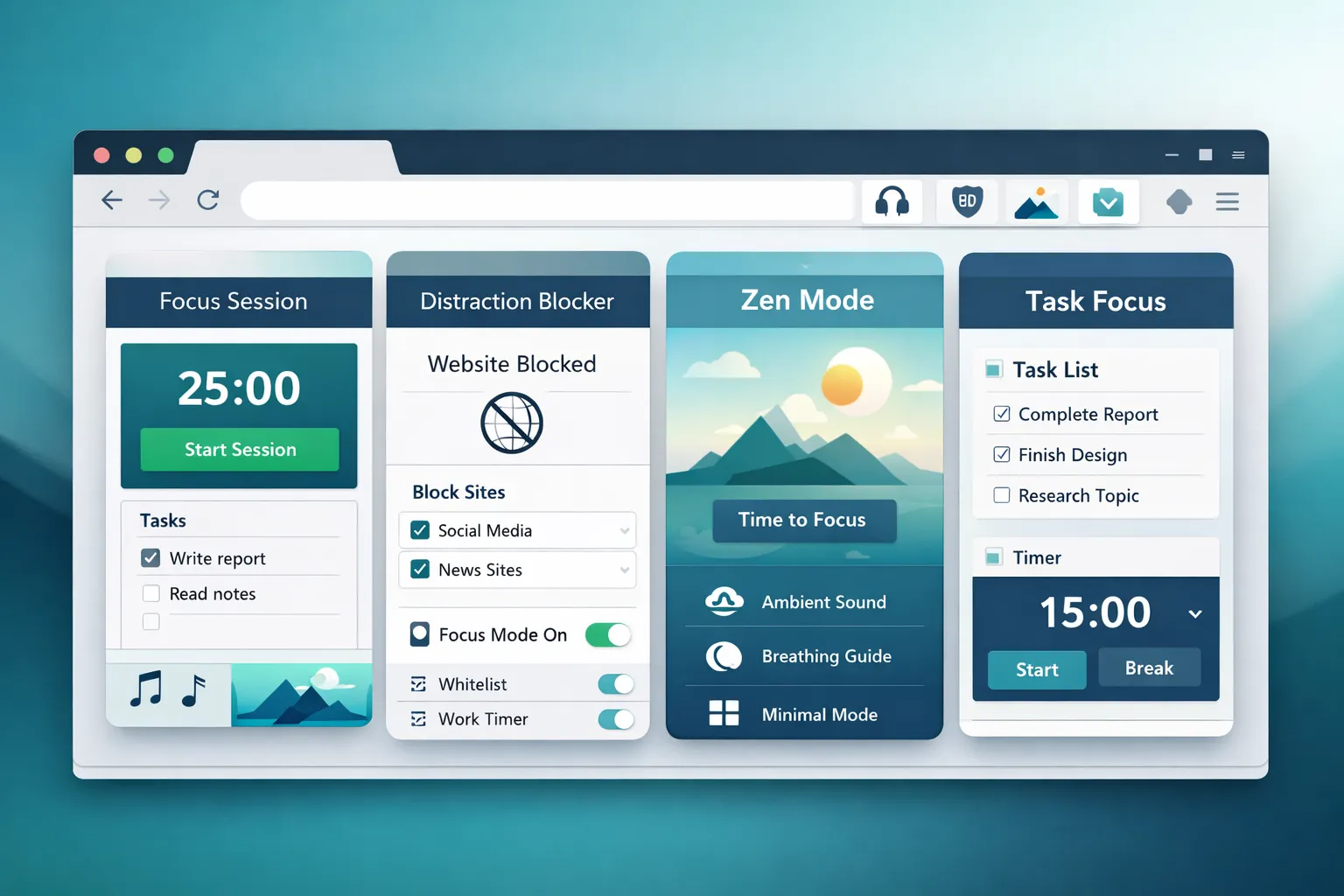
የትኩረት ሁነታ ቅጥያዎች ትኩረትን የሚከፋፍሉ ድረ ገጾችን በማገድ፣ የስራ ክፍለ ጊዜዎችን በጊዜ በመመደብ እና ትኩረትን የሚከፋፍሉ አካባቢዎችን በመፍጠር ውጤታማ ሆነው እንዲቆዩ ይረዱዎታል። ነገር ግን በደርዘን የሚቆጠሩ አማራጮች ስላሉ የትኛውን መምረጥ አለብዎት?
ይህ መመሪያ ለ Chrome ምርጥ የትኩረት ሁነታ ቅጥያዎችን አጠቃላይ ንጽጽር ያቀርባል።
በትኩረት ሁነታ ቅጥያ ውስጥ ምን መፈለግ እንዳለበት
አስፈላጊ ባህሪያት
| ባህሪ | ለምን አስፈላጊ ነው? |
|---|---|
| የድር ጣቢያ እገዳ | ዋና ተግባር - ትኩረትን የሚከፋፍሉ ነገሮችን ያግዳል |
| የሰዓት ቆጣሪ ውህደት | ፖሞዶሮ እና የጊዜ ሰሌዳ ክፍለ ጊዜዎች |
| የጊዜ ሰሌዳ ማውጣት | ራስ-ሰር የስራ/የእረፍት ሁነታዎች |
| የብሎክ ዝርዝር ማበጀት | በቀላሉ ድረ-ገጾችን ያክሉ/ያስወግዱ |
| የእረፍት አስታዋሾች | ድካምን ይከላከላል |
አስደሳች የሆኑ ባህሪያት
| ባህሪ | ለምን አስፈላጊ ነው? |
|---|---|
| ስታቲስቲክስ/ክትትል | እድገትን ለካ |
| የመሣሪያ-ተሻጋሪ ማመሳሰል | ወጥ የሆነ ተሞክሮ |
| የማበረታቻ መሳሪያዎች | ጥቅሶች፣ ግቦች፣ ተከታታይ |
| የነጭ ዝርዝር ሁነታ | ከስራ ጣቢያዎች በስተቀር ሁሉንም ነገር አግድ |
| የይለፍ ቃል ጥበቃ | ራስን ማለፍን ይከላከሉ |
አስፈላጊ ግምት ውስጥ መግባት ያለባቸው ነገሮች
| ፋክተር | ምን ማረጋገጥ እንዳለበት |
|---|---|
| ግላዊነት | ውሂብ እንዴት ይከማቻል? |
| ዋጋ | ነጻ እና ፕሪሚየም ባህሪያት |
| አስተማማኝነት | ማለፍ ትችላለህ? |
| የተጠቃሚ ተሞክሮ | የማዋቀር እና የአጠቃቀም ቀላልነት |
| የአሳሽ ተጽዕኖ | የአፈጻጸም ወጪ |
ተፎካካሪዎቹ
በጣም ተወዳጅ የሆኑ የትኩረት ሁነታ ቅጥያዎችን ገምግመናል፡
- ህልም አፋር — የተቀናጀ አዲስ ትር + የትኩረት ሁነታ
- ቀዝቃዛ ቱርክ — ከፍተኛ ጥንካሬ ያለው ማገጃ
- ደን — የተጋማሽ ትኩረት (ዛፎችን ማሳደግ)
- ነፃነት — መድረክን አቋራጭ ማገድ
- ትኩረት ያድርጉ — በጊዜ ላይ የተመሰረቱ ገደቦች
- ብሎክሳይት — ቀላል የድር ጣቢያ ማገጃ
- LeechBlock — በከፍተኛ ሁኔታ ሊበጅ የሚችል
ዝርዝር ንጽጽሮች
የአፋር ህልም
አይነት፡ አዲስ የትር ቅጥያ ከተቀናጀ የትኩረት ሁነታ ጋር
አጠቃላይ እይታ፡ ድሪም አፋር አዲሱን የትር ገጽዎን የትኩረት ሁነታን፣ ሰዓት ቆጣሪን፣ የሚደረጉ ነገሮችን፣ ማስታወሻዎችን እና የሚያምሩ የግድግዳ ወረቀቶችን - ሁሉም በአንድ ጥቅል - በሚያካትት የምርታማነት ዳሽቦርድ ይተካል።
የትኩረት ሁነታ ባህሪያት፡
- በትኩረት ክፍለ ጊዜዎች ወቅት የድር ጣቢያ እገዳ
- የተቀናጀ የፖሞዶሮ ሰዓት ቆጣሪ
- ለክፍለ ጊዜ ተግባራት የሚደረጉ ነገሮች ዝርዝር
- ረጋ ያለ እገዳ (አስታዋሽ፣ ከባድ ስህተት አይደለም)
- ጣቢያዎችን በቀላሉ ማከል/ማስወገድ
ዋጋ:
| ደረጃ | ዋጋ | ባህሪያት |
|---|---|---|
| ፍርይ | 0 ዶላር | ሁሉም ነገር — ምንም ፕሪሚየም ደረጃ የለም |
ጥቅሞች፡
- Completely free (all features)
- Privacy-first (local storage only)
- Beautiful, integrated experience
- Combines multiple tools in one
- No account required
Cons:
- Chrome/Chromium only
- Blocking is "soft" (can be disabled)
- No cross-device sync
Best for: Users who want an all-in-one productivity dashboard without paying or creating accounts.
Rating: 9/10
Cold Turkey
Type: Hardcore website/app blocker
Overview: Cold Turkey is the most powerful blocker available. Its "unbreakable" mode literally prevents you from accessing blocked sites — even if you try to uninstall it.
Focus Mode Features:
- Website AND application blocking
- Scheduled blocking
- Unbreakable mode (can't bypass)
- Statistics and tracking
- Cross-platform (Windows, Mac)
Pricing:
| Tier | Price | Features |
|---|---|---|
| Free | $0 | Basic blocking, limited sites |
| Pro | $39 (one-time) | Unlimited sites, scheduling, unbreakable |
Pros:
- Truly unbreakable blocking
- Blocks apps, not just websites
- Scheduled sessions
- One-time purchase
Cons:
- Desktop app required (not just extension)
- Windows/Mac only
- Can be too restrictive
- Free version very limited
Best for: Users who need maximum-strength blocking and can't trust themselves to not bypass.
Rating: 8.5/10
Forest
Type: Gamified focus timer
Overview: Forest makes focusing fun by growing virtual trees during focus sessions. Leave the app/tab and your tree dies. Great for gamification lovers.
Focus Mode Features:
- Visual tree-growing mechanic
- Focus timer
- Statistics and streaks
- Plant real trees (partner with Trees for the Future)
- Mobile + browser extension
Pricing:
| Tier | Price | Features |
|---|---|---|
| Free (browser) | $0 | Basic features |
| Pro (mobile) | $4.99 | Full features |
Pros:
- Fun, engaging mechanic
- Social features (compete with friends)
- Real trees planted
- Cross-platform
Cons:
- Limited website blocking
- More timer than blocker
- Mobile app costs money
- Can be gimmicky for serious work
Best for: Users who respond to gamification and want fun motivation.
Rating: 7.5/10
Freedom
Type: Cross-platform distraction blocker
Overview: Freedom blocks websites and apps across all your devices simultaneously. If you block Twitter on your laptop, it's blocked on your phone too.
Focus Mode Features:
- Cross-device blocking
- Website and app blocking
- Scheduled sessions
- Locked mode (can't disable)
- Block lists and allow lists
Pricing:
| Tier | Price | Features |
|---|---|---|
| Monthly | $8.99/mo | All features |
| Annual | $3.33/mo | All features |
| Forever | $99.50 (one-time) | All features |
Pros:
- True cross-device blocking
- Works on all platforms
- Powerful scheduling
- Locked mode available
Cons:
- Subscription-based
- Expensive compared to alternatives
- Requires account
- Cloud-based (privacy concerns)
Best for: Users who need blocking across multiple devices and are willing to pay.
Rating: 7/10
StayFocusd
Type: Time-based website restrictor
Overview: StayFocusd gives you a daily time budget for distracting sites. Once you use your allotted time, sites are blocked for the rest of the day.
Focus Mode Features:
- Daily time allowances
- Per-site time limits
- Nuclear option (block everything)
- Active hours configuration
- Challenge to change settings
Pricing:
| Tier | Price | Features |
|---|---|---|
| Free | $0 | All features |
Pros:
- Completely free
- Time-based approach (flexible)
- Nuclear option for emergencies
- Challenge mode prevents easy changes
Cons:
- Can be bypassed by tech-savvy users
- Chrome only
- No timer integration
- Dated interface
Best for: Users who want time budgets rather than complete blocking.
Rating: 7/10
BlockSite
Type: Simple website blocker
Overview: BlockSite is a straightforward website blocker with scheduling and focus mode features. Simple to use, gets the job done.
Focus Mode Features:
- Website blocking
- Scheduled blocking
- Focus mode timer
- Redirect instead of block
- Password protection
Pricing:
| Tier | Price | Features |
|---|---|---|
| Free | $0 | Basic blocking (limited) |
| Premium | $3.99/mo | Unlimited sites, sync, password |
Pros:
- Easy to use
- Good free tier
- Password protection (premium)
- Redirect option
Cons:
- Premium needed for full features
- Monthly subscription
- Some privacy concerns
- Can be glitchy
Best for: Users who want simple blocking without complexity.
Rating: 6.5/10
LeechBlock
Type: Highly customizable blocker
Overview: LeechBlock offers extensive customization for power users. You can create complex rules, schedules, and blocking behaviors.
Focus Mode Features:
- Complex rule creation
- Multiple block sets
- Time-based and count-based limits
- Lockdown mode
- Extensive customization
Pricing:
| Tier | Price | Features |
|---|---|---|
| Free | $0 | All features |
Pros:
- Completely free
- Extremely customizable
- Multiple block sets
- Firefox and Chrome
Cons:
- Complex setup
- Steep learning curve
- Dated interface
- Overkill for most users
Best for: Power users who want granular control over blocking rules.
Rating: 7/10
Comparison Table
| Extension | Price | Blocking Strength | Timer | Privacy | Ease of Use |
|---|---|---|---|---|---|
| Dream Afar | Free | Medium | Yes | Excellent | Easy |
| Cold Turkey | $39 | Very Strong | Yes | Good | Medium |
| Forest | Free/$5 | Weak | Yes | Medium | Easy |
| Freedom | $8.99/mo | Strong | Yes | Medium | Medium |
| StayFocusd | Free | Medium | No | Good | Easy |
| BlockSite | Free/$4/mo | Medium | Yes | Medium | Easy |
| LeechBlock | Free | Strong | No | Excellent | Complex |
Recommendations by Use Case
Best Free Option: Dream Afar
Why: Complete feature set with zero cost. Includes focus mode, timer, todos, notes, and beautiful new tab — all free forever with local storage for privacy.
Choose if: You want everything without paying or creating accounts.
Best for Maximum Blocking: Cold Turkey
Why: The only truly "unbreakable" blocker. When you need to absolutely, positively block distractions with no way out.
Choose if: You can't trust yourself and need extreme measures.
Best for Gamification: Forest
Why: Makes focusing fun with the tree-growing mechanic. Great for building habits through game-like rewards.
Choose if: You respond well to gamification and visual rewards.
Best for Multi-Device: Freedom
Why: Only option that blocks across all devices simultaneously. If you block Twitter on laptop, it's blocked on phone too.
Choose if: You need consistent blocking across multiple devices.
Best for Power Users: LeechBlock
Why: Most customizable option with complex rules and schedules. Can create any blocking behavior you need.
Choose if: You want granular control and don't mind complexity.
Best for Time Budgets: StayFocusd
Why: Unique time-based approach lets you budget daily distraction time rather than blocking completely.
Choose if: You want to limit rather than eliminate distractions.
Our Top Pick: Dream Afar
For most users, Dream Afar offers the best overall value:
Why Dream Afar wins:
- Completely free — No premium tier, no subscriptions
- All-in-one — Focus mode + timer + todos + notes + wallpapers
- Privacy-first — All data stored locally
- Beautiful design — Enjoyable to use
- Low friction — Easy setup, no account needed
- Integrated experience — Everything works together
The tradeoff: Dream Afar's blocking is "soft" — you can disable it if determined. For most people building focus habits, this is fine. If you need unbreakable blocking, add Cold Turkey for critical periods.
Implementation Strategy
For Beginners
- Start with Dream Afar
- Block 3-5 biggest distractions
- Use Pomodoro timer
- Build the habit
For Intermediate Users
- Use Dream Afar for daily focus
- Add Cold Turkey for deep work periods
- Track focus hours weekly
- Optimize blocklist
For Power Users
- Dream Afar as productivity dashboard
- Cold Turkey on scheduled blocks
- LeechBlock for complex rules
- Multiple browser profiles
Privacy Comparison
| Extension | Data Storage | Account Required | Tracking |
|---|---|---|---|
| Dream Afar | Local only | No | None |
| Cold Turkey | Local | No | Minimal |
| Forest | Cloud | Yes | Usage data |
| Freedom | Cloud | Yes | Usage data |
| StayFocusd | Local | No | None |
| BlockSite | Cloud (premium) | Optional | Some |
| LeechBlock | Local | No | None |
Most private: Dream Afar, StayFocusd, LeechBlock (all local storage, no account)
Related Articles
- The Complete Guide to Browser-Based Productivity
- How to Block Distracting Websites in Chrome
- Pomodoro Technique for Browser Users
- Deep Work Setup: Browser Configuration Guide
Ready to focus? Install Dream Afar free →
Try Dream Afar Today
Transform your new tab into a beautiful, productive dashboard with stunning wallpapers and customizable widgets.